
MacBook Air Intel
Windows-ready via Boot Camp: the MacBook Air Intel from 2017, Late 2018, Mid 2019 and Early 2020, refurbished.
-


MacBook Air 13.3" Space Gray, 1.6 GHz Core i5, 512 GB, 16 GB RAM, Intel UHD Graphics 617, Late 2018, CH
Regular price From 424 CHFSale price From 424 CHF Regular priceUnit price pro0 CHFAvailability
Shipping
Tuesday delivered, only 1 left in stockReady for pickup
Basel Bahnhof: Only 1 available -


MacBook Air 13" Space Gray, 1.1 GHz Core i5, 512 GB, 8 GB RAM, Early 2020, CH
Regular price From 398 CHFSale price From 398 CHF Regular priceUnit price pro0 CHFAvailability
Shipping
Tuesday delivered, only 2 left in stockReady for pickup
Winterthur: Only 2 available -
Revendo Mobile
Your plan. Your cashback.
Revendo Credit every month towards your next device, repairs or accessories.
-


MacBook Air 13" Silver, 1.1 GHz Core i5, 512 GB, 8 GB RAM, Early 2020, CH
Regular price From 442 CHFSale price From 442 CHF Regular priceUnit price pro0 CHFAvailability
Shipping
Tuesday delivered, only 1 left in stockReady for pickup
Winterthur: Only 1 available -
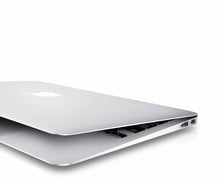

MacBook Air 13" Silver, 1.8 GHz Core i5, 128 GB, 8 GB RAM, HD Graphics 6000, 2017, CH
Regular price From 235 CHFSale price From 235 CHF Regular priceUnit price pro0 CHFAvailability
Shipping
Tuesday delivered, only 1 left in stockReady for pickup
Basel Bahnhof: Only 1 available -
MacBook Air 13" Space Gray, 1.1 GHz Core i3, 256 GB, 8 GB RAM, Early 2020, CH
Regular price From 308 CHFSale price From 308 CHF Regular priceUnit price pro0 CHFAvailability
Shipping
Tuesday delivered, only 1 left in stockReady for pickup
Basel Bahnhof: Only 1 available


Which Intel Air is right for you?
Today there are two reasons to choose a MacBook Air with an Intel processor: you need Windows via Boot Camp, or you want an affordable laptop for email, writing and browsing.
- You type a lot: pick the 2017 or the Early 2020 model, both with a comfortable scissor keyboard.
- You use USB sticks and SD cards: only the 2017 model has the right ports without an adapter.
- You want a sharp display: from Late 2018 onwards, every Intel Air has a Retina display.
Note that the 2017 model no longer receives the latest macOS versions. On an older laptop the battery matters, which is why we test it on every unit. You get a 1-year warranty and can return the device within 14 days.
The successors with Apple chips are listed under MacBook Air M-Series, every generation under MacBook Air.
FAQ MacBook Air Intel
Let’s take a look together at the benefits and important considerations when buying.