
MacBook Touch Bar & older versions
Older MacBooks up to 2020, from the 12″ to the Touch Bar Pro: a low-cost way into macOS, with warranty.
-
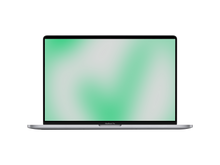
 Up to 67 CHF off
MacBook Pro 16" Touch Bar Space Gray, 2.6 GHz Core i7, 1 TB, 64 GB RAM, AMD Radeon Pro 5500M, Late 2019, CH
Regular price From 629 CHFSale price From 629 CHF Regular priceUnit price pro696 CHFAvailability
Shipping
Friday delivered, only 3 left in stockReady for pickup
Basel Bahnhof: Only 1 availableZürich Zollstrasse: Only 2 available -
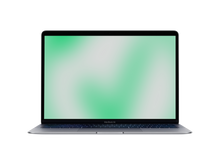

MacBook Air 13" Space Gray, 1.1 GHz Core i5, 256 GB, 8 GB RAM, Early 2020, CH
Regular price From 340 CHFSale price From 340 CHF Regular priceUnit price pro0 CHFAvailability
Shipping
Friday delivered, only 2 left in stockReady for pickup
Basel Bahnhof: Only 2 available -
Revendo Mobile
Your plan. Your cashback.
Revendo Credit every month towards your next device, repairs or accessories.
-
MacBook Air 13" Space Gray, 1.1 GHz Core i5, 512 GB, 8 GB RAM, Early 2020, CH
Regular price From 398 CHFSale price From 398 CHF Regular priceUnit price pro0 CHFAvailability
Shipping
Friday delivered, only 2 left in stockReady for pickup
Winterthur: Only 2 available -
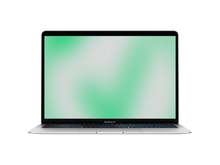

MacBook Air 13" Silver, 1.1 GHz Core i5, 512 GB, 8 GB RAM, Early 2020, CH
Regular price From 442 CHFSale price From 442 CHF Regular priceUnit price pro0 CHFAvailability
Shipping
Friday delivered, only 1 left in stockReady for pickup
Winterthur: Only 1 available -
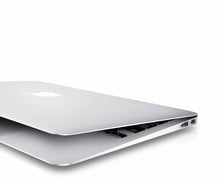

MacBook Air 13" Silver, 1.8 GHz Core i5, 128 GB, 8 GB RAM, HD Graphics 6000, 2017, CH
Regular price From 235 CHFSale price From 235 CHF Regular priceUnit price pro0 CHFAvailability
Shipping
Friday delivered, only 1 left in stockReady for pickup
Basel Bahnhof: Only 1 available -
MacBook Air 13" Space Gray, 1.1 GHz Core i3, 256 GB, 8 GB RAM, Early 2020, CH
Regular price From 308 CHFSale price From 308 CHF Regular priceUnit price pro0 CHFAvailability
Shipping
Friday delivered, only 1 left in stockReady for pickup
Basel Bahnhof: Only 1 available -

MacBook Air 13.3" Space Gray, 1.6 GHz Core i5, 128 GB, 8 GB RAM, Intel UHD Graphics 617, Late 2018, CH
Regular price From 235 CHFSale price From 235 CHF Regular priceUnit price pro0 CHFAvailability
Shipping
Friday delivered, only 1 left in stockReady for pickup
Basel Bahnhof: Only 1 available -
MacBook Air 13.3" Space Gray, 1.6 GHz Core i5, 512 GB, 16 GB RAM, Intel UHD Graphics 617, Late 2018, CH
Regular price From 424 CHFSale price From 424 CHF Regular priceUnit price pro0 CHFAvailability
Shipping
Friday delivered, only 1 left in stockReady for pickup
Basel Bahnhof: Only 1 available -
MacBook Air 13.3" Space Gray, 1.6 GHz Core i5, 512 GB, 8 GB RAM, Intel UHD Graphics 617, Late 2018, CH
Regular price From 359 CHFSale price From 359 CHF Regular priceUnit price pro0 CHFAvailability
Shipping
Friday delivered, only 1 left in stockReady for pickup
Basel Bahnhof: Only 1 available -

MacBook Pro 13" Touch Bar Silver, 2.7 GHz Core i7, 2 TB, 16 GB RAM, Intel Iris Plus Graphics 655, Mid 2018, CH
Regular price From 456 CHFSale price From 456 CHF Regular priceUnit price pro0 CHFAvailability
Shipping
Friday delivered, only 1 left in stockReady for pickup
Basel Bahnhof: Only 1 available -

MacBook Pro 13" Touch Bar Space Gray, 2.0 GHz Core i5, 1 TB, 16 GB RAM, Intel Iris Plus Graphics, Mid 2020, CH
Regular price From 478 CHFSale price From 478 CHF Regular priceUnit price pro0 CHFAvailability
Shipping
Friday delivered, only 1 left in stockReady for pickup
St. Gallen: Only 1 available -
MacBook Pro 13" Touch Bar Space Gray, 2.0 GHz Core i5, 512 GB, 16 GB RAM, Intel Iris Plus Graphics, Mid 2020, CH
Regular price From 397 CHFSale price From 397 CHF Regular priceUnit price pro0 CHFAvailability
Shipping
Friday delivered, only 1 left in stockReady for pickup
Basel Bahnhof: Only 1 available -


MacBook Pro 13" Touch Bar Space Gray, 2.3 GHz Core i5, 512 GB, 16 GB RAM, Intel Iris Plus Graphics 655, Mid 2018, CH
Regular price From 380 CHFSale price From 380 CHF Regular priceUnit price pro0 CHFAvailability
Shipping
Friday delivered, only 1 left in stockReady for pickup
Basel Bahnhof: Only 1 available -
 Up to 40 CHF off
MacBook Pro 15" Touch Bar Silver, 2.6 GHz Core i7, 512 GB, 16 GB RAM, Intel HD Graphics 530 + AMD Radeon Pro 450, Late 2016, CH
Regular price From 388 CHFSale price From 388 CHF Regular priceUnit price pro428 CHFAvailability
Shipping
Friday delivered, only 1 left in stockReady for pickup
Basel Bahnhof: Only 1 available -
MacBook Pro 15" Touch Bar Silver, 2.9 GHz Core i7, 1 TB, 16 GB RAM, Intel HD Graphics 530 + AMD Radeon Pro 460, Late 2016, CH
Regular price From 519 CHFSale price From 519 CHF Regular priceUnit price pro0 CHFAvailability
Shipping
Friday delivered, only 1 left in stockReady for pickup
Basel Bahnhof: Only 1 available -

 Up to 40 CHF off
MacBook Pro 15" Touch Bar Space Gray, 2.6 GHz Core i7, 512 GB, 16 GB RAM, Intel HD Graphics 530 + AMD Radeon Pro 450, Late 2016, CH
Regular price From 388 CHFSale price From 388 CHF Regular priceUnit price pro428 CHFAvailability
Shipping
Friday delivered, only 1 left in stockReady for pickup
Basel Bahnhof: Only 1 available -
MacBook Pro 16" Touch Bar Space Gray, 2.3 GHz Core i9, 1 TB, 32 GB RAM, AMD Radeon Pro 5500M, Late 2019, CH
Regular price From 714 CHFSale price From 714 CHF Regular priceUnit price pro0 CHFAvailability
Shipping
Friday delivered, only 1 left in stockReady for pickup
Basel Bahnhof: Only 1 available -
MacBook Pro 16" Touch Bar Space Gray, 2.3 GHz Core i9, 1 TB, 16 GB RAM, AMD Radeon Pro 5500M, Late 2019, CH
Regular price From 643 CHFSale price From 643 CHF Regular priceUnit price pro0 CHFAvailability
Shipping
Friday delivered, only 1 left in stockReady for pickup
Basel Bahnhof: Only 1 available -
 Outlet You save 133 CHF
MacBook Pro 15" Space Gray, 2.4 GHz Core i9, 1 TB, 32 GB RAM, Radeon Pro 560X, Mid 2019, CH
Regular price 461 CHFSale price 461 CHF Regular priceUnit price pro594 CHFAvailability
Shipping
Friday delivered, only 1 left in stockReady for pickup
Basel Bahnhof: Only 1 available -
Outlet
MacBook Pro 15" Touch Bar Space Gray, 2.3 GHz Core i9, 512 GB, 16 GB RAM, Radeon Pro 560X, Mid 2019, US
Regular price 438 CHFSale price 438 CHF Regular priceUnit price pro0 CHFAvailability
Shipping
Friday delivered, only 1 left in stockReady for pickup
Basel Bahnhof: Only 1 available


Older MacBooks: a lot of Apple for little money
This page gathers Apple laptops built up to 2020: the 12″ MacBook, the MacBook Air and Intel-based MacBook Pro models, many with a Touch Bar. For writing, email, research and streaming they are more than enough.
Who they suit
- School and university: for homework, research and presentations, an older MacBook Air is enough and keeps the budget intact. A dedicated selection: MacBook Air for students.
- Travel and writing: the 12″ MacBook is the lightest device on this page and stays completely silent without a fan.
- Classic ports: if you still use USB sticks, HDMI cables or SD cards, you will find devices here that work without adapters. Each product page lists the ports.
For more power and current macOS versions, step up to a MacBook Air or MacBook Pro; every model is listed under all MacBooks.
What to check
The younger the model year, the more current the macOS it runs, so compare the year. The battery matters too: we check it, clean every device and securely erase all data. You get a 1-year warranty included, extendable to 3 years, 14 days to return it and free shipping.
FAQ MacBook Touch Bar & older versions
Let’s take a look together at the benefits and important considerations when buying.