
MacBook Air M-Series
Silent with no fan, powered by M1, M2, M3 or M4: your MacBook Air M-Series refurbished, in 13 or 15 inches, tested.
-

 Up to 26 CHF off
MacBook Air 13" Space Gray, M1, 8-Core CPU and 7-Core GPU, 256 GB, 8 GB RAM, Late 2020, CH
Regular price From 419 CHFSale price From 419 CHF Regular priceUnit price pro441 CHFAutumn Sale 17% still available
Availability
Shipping
Tuesday deliveredReady for pickup
Basel Bahnhof: More than 10 itemsBasel Theater: Only 7 availableBern Bahnhof: Only 3 availableBern Spitalgasse: Only 1 availableLuzern: Only 7 availableSt. Gallen: Only 5 availableWinterthur: Only 8 availableZürich Europaallee: More than 10 itemsZürich Limmat: Only 7 availableZürich Zollstrasse: Only 6 available -


MacBook Air 13" Silver, M1, 8-Core CPU and 7-Core GPU, 256 GB, 8 GB RAM, Late 2020, CH
Regular price From 441 CHFSale price From 441 CHF Regular priceUnit price pro0 CHFAvailability
Shipping
Tuesday deliveredReady for pickup
Basel Bahnhof: More than 10 itemsBasel Theater: Only 3 availableBern Bahnhof: Only 1 availableBern Spitalgasse: Only 4 availableLuzern: Only 3 availableSt. Gallen: Only 3 availableWinterthur: Only 5 availableZürich Europaallee: Only 4 availableZürich Limmat: Only 5 availableZürich Zollstrasse: Only 3 available -
Revendo Mobile
Your plan. Your cashback.
Revendo Credit every month towards your next device, repairs or accessories.
-
MacBook Air 13" Silver, M1, 8-Core CPU and 7-Core GPU, 512 GB, 8 GB RAM, Late 2020, CH
Regular price From 526 CHFSale price From 526 CHF Regular priceUnit price pro0 CHFAvailability
Shipping
Tuesday delivered, only 3 left in stockReady for pickup
Basel Bahnhof: Only 2 availableSt. Gallen: Only 1 available -
Up to 50 CHF off
MacBook Air 13" Silver, M1, 8-Core CPU and 8-Core GPU, 1 TB, 16 GB RAM, Late 2020, CH
Regular price From 719 CHFSale price From 719 CHF Regular priceUnit price pro769 CHFAvailability
Shipping
Tuesday delivered, only 1 left in stockReady for pickup
Basel Bahnhof: Only 1 available -
MacBook Air 13" Silver, M1, 8-Core CPU and 7-Core GPU, 1 TB, 16 GB RAM, Late 2020, CH
Regular price From 758 CHFSale price From 758 CHF Regular priceUnit price pro0 CHFAvailability
Shipping
Tuesday delivered, only 1 left in stockReady for pickup
Basel Bahnhof: Only 1 available -
MacBook Air 13" Space Gray, M1, 8-Core CPU and 7-Core GPU, 512 GB, 8 GB RAM, Late 2020, CH
Regular price From 526 CHFSale price From 526 CHF Regular priceUnit price pro0 CHFAvailability
Shipping
Tuesday delivered, only 1 left in stockReady for pickup
Basel Bahnhof: Only 1 available -
 Outlet You save 181 CHF
MacBook Air 13" Space Gray, M1, 8-core CPU and 7-core GPU, 256 GB, 8 GB RAM, Late 2020, CH
Regular price 285 CHFSale price 285 CHF Regular priceUnit price pro466 CHFAvailability
Shipping
Tuesday delivered, only 1 left in stockReady for pickup
Basel Bahnhof: Only 1 available -
 Outlet You save 181 CHF
MacBook Air 13" Space Gray, M1, 8-core CPU and 7-core GPU, 256 GB, 8 GB RAM, Late 2020, CH
Regular price 285 CHFSale price 285 CHF Regular priceUnit price pro466 CHFAvailability
Shipping
Tuesday delivered, only 1 left in stockReady for pickup
Basel Bahnhof: Only 1 available -
MacBook Air 13" Silver, M1, 8-Core CPU and 8-Core GPU, 512 GB, 8 GB RAM, Late 2020, CH
Regular price From 496 CHFSale price From 496 CHF Regular priceUnit price pro0 CHFAvailability
Shipping
Tuesday delivered, only 1 left in stockReady for pickup
St. Gallen: Only 1 available -
 Outlet You save 166 CHF
MacBook Air 13" Space Gray, M1, 8-core CPU and 7-core GPU, 256 GB, 8 GB RAM, Late 2020, CH
Regular price 300 CHFSale price 300 CHF Regular priceUnit price pro466 CHFAvailability
Shipping
Tuesday delivered, only 1 left in stockReady for pickup
Basel Bahnhof: Only 1 available -
 Outlet You save 166 CHF
MacBook Air 13" Space Gray, M1, 8-core CPU and 7-core GPU, 256 GB, 8 GB RAM, Late 2020, CH
Regular price 300 CHFSale price 300 CHF Regular priceUnit price pro466 CHFAvailability
Shipping
Tuesday delivered, only 1 left in stockReady for pickup
Basel Bahnhof: Only 1 available -
 Outlet You save 166 CHF
MacBook Air 13" Space Gray, M1, 8-core CPU and 7-core GPU, 256 GB, 8 GB RAM, Late 2020, CH
Regular price 300 CHFSale price 300 CHF Regular priceUnit price pro466 CHFAvailability
Shipping
Tuesday delivered, only 1 left in stockReady for pickup
Basel Bahnhof: Only 1 available -
 Outlet You save 166 CHF
MacBook Air 13" Space Gray, M1, 8-core CPU and 7-core GPU, 256 GB, 8 GB RAM, Late 2020, CH
Regular price 300 CHFSale price 300 CHF Regular priceUnit price pro466 CHFAvailability
Shipping
Tuesday delivered, only 1 left in stockReady for pickup
Basel Bahnhof: Only 1 available -
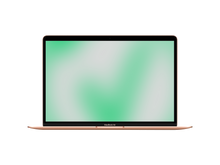

MacBook Air 13" Gold, M1, 8-core CPU and 7-core GPU, 256 GB, 8 GB RAM, Late 2020, CH
Regular price From 441 CHFSale price From 441 CHF Regular priceUnit price pro0 CHFAvailability
Shipping
Tuesday deliveredReady for pickup
Basel Bahnhof: More than 10 itemsBasel Theater: Only 1 availableBern Bahnhof: Only 3 availableBern Spitalgasse: Only 3 availableLuzern: Only 3 availableSt. Gallen: Only 1 availableWinterthur: Only 2 availableZürich Europaallee: Only 2 availableZürich Limmat: Only 4 availableZürich Zollstrasse: Only 1 available -
 Outlet You save 141 CHF
MacBook Air 13" Gold, M1, 8-core CPU and 7-core GPU, 256 GB, 8 GB RAM, Late 2020, CH
Regular price 350 CHFSale price 350 CHF Regular priceUnit price pro491 CHFAvailability
Shipping
Tuesday delivered, only 1 left in stockReady for pickup
Basel Bahnhof: Only 1 available -
 Outlet You save 140 CHF
MacBook Air 13" Silver, M1, 8-core CPU and 7-core GPU, 256 GB, 8 GB RAM, Late 2020, CH
Regular price 301 CHFSale price 301 CHF Regular priceUnit price pro441 CHFAvailability
Shipping
Tuesday delivered, only 1 left in stockReady for pickup
Basel Bahnhof: Only 1 available -
 Outlet You save 127 CHF
MacBook Air 13" Gold, M1, 8-core CPU and 7-core GPU, 256 GB, 8 GB RAM, Late 2020, CH
Regular price 314 CHFSale price 314 CHF Regular priceUnit price pro441 CHFAvailability
Shipping
Tuesday delivered, only 1 left in stockReady for pickup
Basel Bahnhof: Only 1 available -
 Outlet You save 127 CHF
MacBook Air 13" Gold, M1, 8-core CPU and 7-core GPU, 256 GB, 8 GB RAM, Late 2020, CH
Regular price 314 CHFSale price 314 CHF Regular priceUnit price pro441 CHFAvailability
Shipping
Tuesday delivered, only 1 left in stockReady for pickup
Basel Bahnhof: Only 1 available -
 Outlet You save 140 CHF
MacBook Air 13" Silver, M1, 8-core CPU and 7-core GPU, 256 GB, 8 GB RAM, Late 2020, CH
Regular price 301 CHFSale price 301 CHF Regular priceUnit price pro441 CHFAvailability
Shipping
Tuesday delivered, only 1 left in stockReady for pickup
Basel Bahnhof: Only 1 available -
 Outlet You save 127 CHF
MacBook Air 13" Gold, M1, 8-core CPU and 7-core GPU, 256 GB, 8 GB RAM, Late 2020, CH
Regular price 314 CHFSale price 314 CHF Regular priceUnit price pro441 CHFAvailability
Shipping
Tuesday delivered, only 1 left in stockReady for pickup
Basel Bahnhof: Only 1 available -
 Outlet You save 127 CHF
MacBook Air 13" Gold, M1, 8-core CPU and 7-core GPU, 256 GB, 8 GB RAM, Late 2020, CH
Regular price 314 CHFSale price 314 CHF Regular priceUnit price pro441 CHFAvailability
Shipping
Tuesday delivered, only 1 left in stockReady for pickup
Basel Bahnhof: Only 1 available -
 Outlet You save 127 CHF
MacBook Air 13" Gold, M1, 8-core CPU and 7-core GPU, 256 GB, 8 GB RAM, Late 2020, CH
Regular price 314 CHFSale price 314 CHF Regular priceUnit price pro441 CHFAvailability
Shipping
Tuesday delivered, only 1 left in stockReady for pickup
Basel Bahnhof: Only 1 available -
MacBook Air 13" Space Gray, M1, 8-Core CPU and 8-Core GPU, 512 GB, 8 GB RAM, Late 2020, CH
Regular price From 496 CHFSale price From 496 CHF Regular priceUnit price pro0 CHFAvailability
Shipping
Tuesday delivered, only 4 left in stockReady for pickup
Basel Bahnhof: Only 2 availableWinterthur: Only 1 availableZürich Zollstrasse: Only 1 available -
 Outlet You save 137 CHF
MacBook Air 13" Space Gray, M1, 8-core CPU and 7-core GPU, 256 GB, 8 GB RAM, Late 2020, CH
Regular price 282 CHFSale price 282 CHF Regular priceUnit price pro419 CHFAvailability
Shipping
Tuesday delivered, only 1 left in stockReady for pickup
Basel Bahnhof: Only 1 available -
 Outlet You save 137 CHF
MacBook Air 13" Space Gray, M1, 8-core CPU and 7-core GPU, 256 GB, 8 GB RAM, Late 2020, CH
Regular price 282 CHFSale price 282 CHF Regular priceUnit price pro419 CHFAvailability
Shipping
Tuesday delivered, only 1 left in stockReady for pickup
Basel Bahnhof: Only 1 available -
 Outlet You save 111 CHF
MacBook Air 13" Gold, M1, 8-core CPU and 7-core GPU, 256 GB, 8 GB RAM, Late 2020, CH
Regular price 330 CHFSale price 330 CHF Regular priceUnit price pro441 CHFAvailability
Shipping
Tuesday delivered, only 1 left in stockReady for pickup
Basel Bahnhof: Only 1 available -
 Outlet You save 124 CHF
MacBook Air 13" Silver, M1, 8-core CPU and 7-core GPU, 256 GB, 8 GB RAM, Late 2020, CH
Regular price 317 CHFSale price 317 CHF Regular priceUnit price pro441 CHFAvailability
Shipping
Tuesday delivered, only 1 left in stockReady for pickup
Basel Bahnhof: Only 1 available -
 Outlet You save 123 CHF
MacBook Air 13" Gold, M1, 8-core CPU and 7-core GPU, 256 GB, 8 GB RAM, Late 2020, CH
Regular price 368 CHFSale price 368 CHF Regular priceUnit price pro491 CHFAvailability
Shipping
Tuesday delivered, only 1 left in stockReady for pickup
Basel Bahnhof: Only 1 available -
 Outlet You save 150 CHF
MacBook Air 13" Space Gray, M1, 8-core CPU and 7-core GPU, 256 GB, 8 GB RAM, Late 2020, CH
Regular price 316 CHFSale price 316 CHF Regular priceUnit price pro466 CHFAvailability
Shipping
Tuesday delivered, only 1 left in stockReady for pickup
Luzern: Only 1 available -
 Outlet You save 111 CHF
MacBook Air 13" Gold, M1, 8-core CPU and 7-core GPU, 256 GB, 8 GB RAM, Late 2020, CH
Regular price 330 CHFSale price 330 CHF Regular priceUnit price pro441 CHFAvailability
Shipping
Tuesday delivered, only 1 left in stockReady for pickup
Basel Bahnhof: Only 1 available


Which M chip for your Air?
Every Air with an Apple chip is quiet and economical. They differ in casing and performance headroom, and that is also reflected in the price.
- Tight budget: the M1 model is the most affordable way in and covers studying, office work and streaming.
- Modern design: from the M2 onwards the casing is flat, and there is a larger-screen version.
- More headroom: the M3 and M4 are worth it if you plan to keep the laptop for many years.
The smaller version suits commuters and students, the larger one anyone who works a lot with spreadsheets or images. The base memory is fine for everyday use; if you edit video, get more.
For comparison: the pro line is listed under MacBook Pro M-Series, older Air models with Intel processors under MacBook Air Intel.
Every device is checked and refurbished in Switzerland, battery included, and comes with a 1-year warranty and 14 days to return it.
FAQ MacBook Air M-Series
Let’s take a look together at the benefits and important considerations when buying.