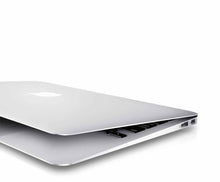
MacBook Air 2017

8 products

FAQ MacBook Air 2017

Are you thinking about buying MacBook Air 2017 but still unsure? Let’s take a look together at the key benefits and things to consider before you buy.

Which models belong to the 2017 MacBook Air series?

The 2017 MacBook Air collection includes the classic 13-inch MacBook Air models with Intel Core i5 processors. These devices are part of the proven Air line, which predates the Retina upgrade and the switch to Apple Silicon, and is characterized by its lightweight, compact design.

What is new or typical about the 2017 MacBook Air compared to later Air generations?

The 2017 MacBook Air was one of the last models with a classic design before the newer Retina and Apple Silicon versions. It combines a robust aluminum chassis, a solid keyboard, and battery life that was above average for its time. While it lacks the Retina display found in newer models, the screen offers sufficient brightness and sharpness for everyday use, office work, and multimedia.

Who is the 2017 MacBook Air best suited for?

This model is particularly suitable for users looking for a simple, reliable notebook for school, university, office work, internet browsing, and media consumption. It is ideal for everyday tasks such as using office apps, email, streaming, online research, and light productivity workflows.

How does the display on the 2017 MacBook Air differ?

The 13-inch display of the 2017 MacBook Air offers solid visuals with good brightness and viewing angles, even if it doesn't have the higher resolution of later Retina models. For text work, video streaming, and photos, the image quality is pleasant and sufficient for everyday tasks.

How powerful are the processors in the 2017 MacBook Air?

The 2017 MacBook Air uses Intel Core i5 processors, which offer sufficient performance for everyday tasks and light productivity. They reliably handle office software, web browsing with multiple tabs, presentations, and media playback. However, for very demanding professional applications or modern creative workflows, newer chips are significantly more powerful.

How long does the battery of a 2017 MacBook Air last in everyday use?

Battery life was one of the highlights of the Air series: Many users easily get through a full day of mixed use with the 2017 MacBook Air without needing to recharge. Even today, the battery life is still perfectly adequate for everyday use, whether browsing the web, working in Office, or streaming videos.

What storage and configuration options are available for the 2017 MacBook Air?

Typical configurations of the 2017 MacBook Air offer SSD storage in sizes such as 128 GB, 256 GB, or 512 GB, combined with 8 GB of RAM. These combinations are designed for everyday tasks, files, photos, office work, and moderate media use.

Which port and connection standards do the 2017 MacBook Air models support?

The 2017 MacBook Air features USB 3 ports, a Thunderbolt 2 port, a headphone jack, and Wi-Fi and Bluetooth connectivity. This allows you to flexibly connect displays, peripherals, storage, and wireless devices.

How does the 2017 MacBook Air differ from the MacBook Pro?

MacBook Air models are lighter, more energy-efficient, and optimized for everyday tasks, while MacBook Pro models tend to offer more power and longer battery life. However, for simple to medium workflows, portability, and everyday use, the 2017 Air is a reliable companion.

Are refurbished 2017 MacBook Air models a good choice?

Yes, refurbished 2017 MacBook Air devices are technically inspected, carefully refurbished, and function perfectly. They are a sustainable and attractively priced alternative to newer devices—ideal for users looking for a classic, reliable notebook for everyday use, school, office, and media.